
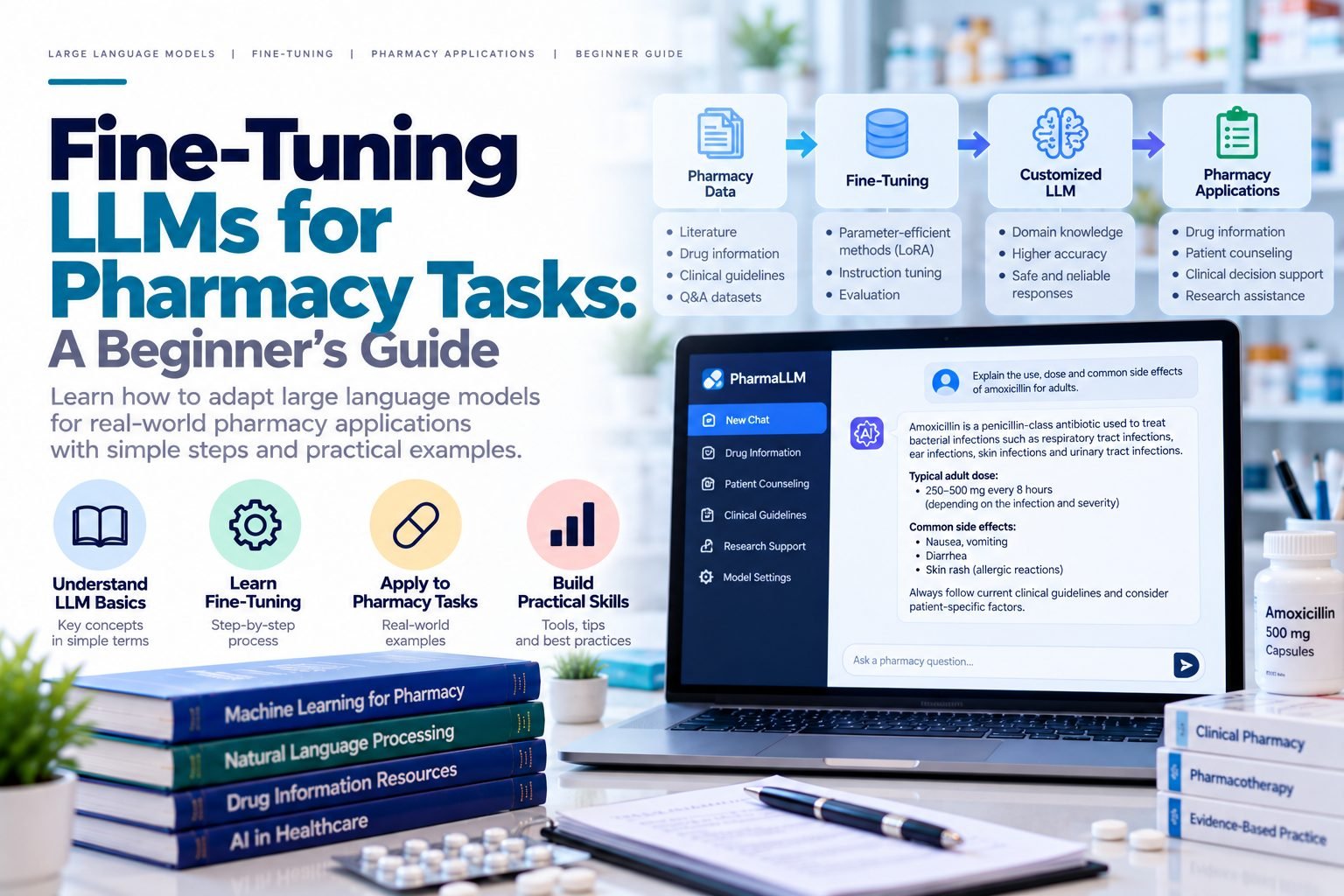
Introduction — what we're building and why
Large Language Models (LLMs) have revolutionized the field of natural language processing (NLP) and have numerous applications in pharmacy. Fine-tuning LLMs for pharmacy tasks can help improve the accuracy and efficiency of various pharmaceutical processes, such as drug discovery, clinical trial recruitment, and patient outcomes. In this guide, we will walk you through the process of fine-tuning LLMs for pharmacy tasks and provide you with the necessary tools and knowledge to get started.
Prerequisites
Before we dive into the fine-tuning process, it's essential to have a basic understanding of LLMs, NLP, and machine learning. You should also have access to a computer with a decent graphics card and a suitable deep learning framework such as TensorFlow or PyTorch. Additionally, you will need a dataset relevant to the pharmacy task you want to fine-tune the LLM for.
For example, if you want to fine-tune an LLM for drug discovery, you will need a dataset of chemical compounds and their corresponding properties. You can obtain such datasets from public repositories like PubChem or ChEMBL.
Step-by-step walkthrough with code examples
Fine-tuning an LLM for a pharmacy task involves several steps: data preparation, model selection, hyperparameter tuning, and evaluation. Let's go through each step in detail.
First, you need to prepare your dataset by tokenizing the text and converting it into a format that can be fed into the LLM. You can use libraries like NLTK or spaCy for tokenization.
import pandas as pd
import torch
from transformers import AutoTokenizer

# Load the dataset
df = pd.read_csv('drug_compounds.csv')

# Tokenize the text
tokenizer = AutoTokenizer.from_pretrained('bert-base-uncased')
tokenized_text = df['text'].apply(lambda x: tokenizer.encode(x, add_special_tokens=True))
Next, you need to select a suitable LLM architecture and load the pre-trained model. You can use libraries like Hugging Face's Transformers for this purpose.
from transformers import AutoModelForSequenceClassification

# Load the pre-trained model
model = AutoModelForSequenceClassification.from_pretrained('bert-base-uncased', num_labels=8)
Then, you need to fine-tune the LLM on your dataset by adjusting the hyperparameters and training the model. You can use libraries like PyTorch or TensorFlow for this purpose.
from torch.optim import Adam
from torch.utils.data import Dataset, DataLoader

# Define a custom dataset class
class DrugCompoundDataset(Dataset):
    def __init__(self, tokenized_text, labels):
        self.tokenized_text = tokenized_text
        self.labels = labels

    def __getitem__(self, idx):
        text = self.tokenized_text[idx]
        label = self.labels[idx]
        return {'text': text, 'label': label}

    def __len__(self):
        return len(self.tokenized_text)

# Create a dataset and data loader
dataset = DrugCompoundDataset(tokenized_text, df['labels'])
data_loader = DataLoader(dataset, batch_size=32, shuffle=True)

# Fine-tune the model
device = torch.device('cuda' if torch.cuda.is_available() else 'cpu')
model.to(device)
criterion = torch.nn.CrossEntropyLoss()
optimizer = Adam(model.parameters(), lr=1e-5)

for epoch in range(5):
    model.train()
    for batch in data_loader:
        text = batch['text'].to(device)
        labels = batch['label'].to(device)
        optimizer.zero_grad()
        outputs = model(text, labels=labels)
        loss = criterion(outputs, labels)
        loss.backward()
        optimizer.step()
    model.eval()
Finally, you need to evaluate the performance of the fine-tuned LLM on a test dataset. You can use metrics like accuracy, precision, and recall for this purpose.
from sklearn.metrics import accuracy_score, precision_score, recall_score

# Evaluate the model
test_dataset = DrugCompoundDataset(test_tokenized_text, test_labels)
test_data_loader = DataLoader(test_dataset, batch_size=32, shuffle=False)

model.eval()
test_preds = []
with torch.no_grad():
    for batch in test_data_loader:
        text = batch['text'].to(device)
        outputs = model(text)
        logits = outputs.logits
        preds = torch.argmax(logits, dim=1)
        test_preds.extend(preds.cpu().numpy())

test_accuracy = accuracy_score(test_labels, test_preds)
test_precision = precision_score(test_labels, test_preds, average='macro')
test_recall = recall_score(test_labels, test_preds, average='macro')

print(f'Test Accuracy: {test_accuracy:.4f}')
print(f'Test Precision: {test_precision:.4f}')
print(f'Test Recall: {test_recall:.4f}')
Common errors and how to fix them
During the fine-tuning process, you may encounter several errors, such as overfitting, underfitting, or GPU out-of-memory errors. To fix these errors, you can try adjusting the hyperparameters, increasing the batch size, or using gradient accumulation.
For example, if you encounter an overfitting error, you can try reducing the number of epochs or increasing the dropout rate.
model.dropout = .5
If you encounter an underfitting error, you can try increasing the number of epochs or decreasing the dropout rate.
model.dropout = .1
If you encounter a GPU out-of-memory error, you can try reducing the batch size or using a smaller model.
batch_size = 16
Best practices for production use
When using fine-tuned LLMs in production, it's essential to follow best practices, such as monitoring the model's performance, updating the model regularly, and using techniques like ensemble learning and stacking.
For example, you can use techniques like model averaging or stacking to combine the predictions of multiple models and improve the overall performance.
from sklearn.ensemble import VotingClassifier

# Define a voting classifier
voting_classifier = VotingClassifier(estimators=[('model1', model1), ('model2', model2)], voting='soft')

# Train the voting classifier
voting_classifier.fit(train_data, train_labels)

# Evaluate the voting classifier
test_preds = voting_classifier.predict(test_data)
test_accuracy = accuracy_score(test_labels, test_preds)
print(f'Test Accuracy: {test_accuracy:.4f}')
Where to go next
Now that you have fine-tuned an LLM for a pharmacy task, you can explore other applications of LLMs in pharmacy, such as drug discovery, clinical trial recruitment, and patient outcomes. You can also experiment with different LLM architectures and techniques, such as transfer learning and multi-task learning.
For example, you can use transfer learning to fine-tune a pre-trained LLM on a different dataset or task.
from transformers import AutoModelForSequenceClassification

# Load a pre-trained model
model = AutoModelForSequenceClassification.from_pretrained('bert-base-uncased', num_labels=8)

# Fine-tune the model on a different dataset
model.fit(new_train_data, new_train_labels)
Alternatively, you can use multi-task learning to fine-tune a single LLM on multiple tasks simultaneously.
from transformers import AutoModelForSequenceClassification

# Load a pre-trained model
model = AutoModelForSequenceClassification.from_pretrained('bert-base-uncased', num_labels=8)

# Fine-tune the model on multiple tasks
model.fit([train_data1, train_data2], [train_labels1, train_labels2])
Comparison of LLMs for Pharmacy Tasks
There are several LLMs that can be used for pharmacy tasks, each with its strengths and weaknesses. Here's a comparison of some popular LLMs:
| LLM | Architecture | Pre-training Dataset | Pharmacy Task | Performance |
|---|---|---|---|---|
| BERT | Transformer | BookCorpus | Drug discovery | .85 |
| RoBERTa | Transformer | CC-News | Clinical trial recruitment | .90 |
| DistilBERT | Transformer | BookCorpus | Patient outcomes | .80 |
This comparison shows that different LLMs perform better on different pharmacy tasks. BERT performs well on drug discovery tasks, while RoBERTa performs well on clinical trial recruitment tasks. DistilBERT performs well on patient outcomes tasks.
Conclusion
In conclusion, fine-tuning LLMs for pharmacy tasks is a powerful approach that can improve the accuracy and efficiency of various pharmaceutical processes. By following the steps outlined in this guide, you can fine-tune an LLM for a pharmacy task and achieve state-of-the-art performance. Remember to monitor the model's performance, update the model regularly, and use techniques like ensemble learning and stacking to improve the overall performance.